
AI Video Upscale — Enhancer & Improve Video Quality Online
Turn blurry, low-res footage into sharp, professional-quality video in seconds. Our AI video enhancer upscales up to 4K, reduces noise, and restores detail with secure cloud processing and a quick free account.
Click or drag video to upload
Upload a video file to process. Your files are securely encrypted and processed.
Upload video to see result
Everything You Need in One AI Video Quality Enhancer
Our AI doesn't just upscale pixels — it intelligently rebuilds video detail, corrects color, reduces noise, and sharpens every frame. Whether you're enhancing old footage or polishing new content, you get studio-quality results without the studio cost.
True AI Upscaling
Our AI video upscaler intelligently adds pixels using deep learning — not simple stretching. Upscale from 480p, 720p, or 1080p all the way to crisp, true 4K resolution.
Denoise & Clean
Grainy footage, low-light clips, or old recordings? Our video quality enhancer filters out noise and grain frame by frame, leaving clean, smooth video that looks professionally shot.
Restore Lost Detail
Blurry edges, soft focus, and lost detail are automatically recovered. The AI sharpens faces, text, objects, and backgrounds so every frame is crisp and clear.
Vivid & Balanced Colors
Washed-out colors, overexposed highlights, or dark shadows? Our AI video enhancer auto-corrects brightness, contrast, and saturation to make your footage look vivid and balanced.
Easy & Accessible
Everything runs in your browser. Create a free account, upload your video securely, and let the AI handle the enhancement. Compatible with all major devices and operating systems.
Safe Enhancement
We enhance your video, not damage it. Your original file is never altered. You always get a clean enhanced export alongside your untouched source.
See What AI Video Enhancement Actually Looks Like
Don't take our word for it — see the results yourself. Drag the slider to compare the original footage against the AI-enhanced version. The difference is immediate.
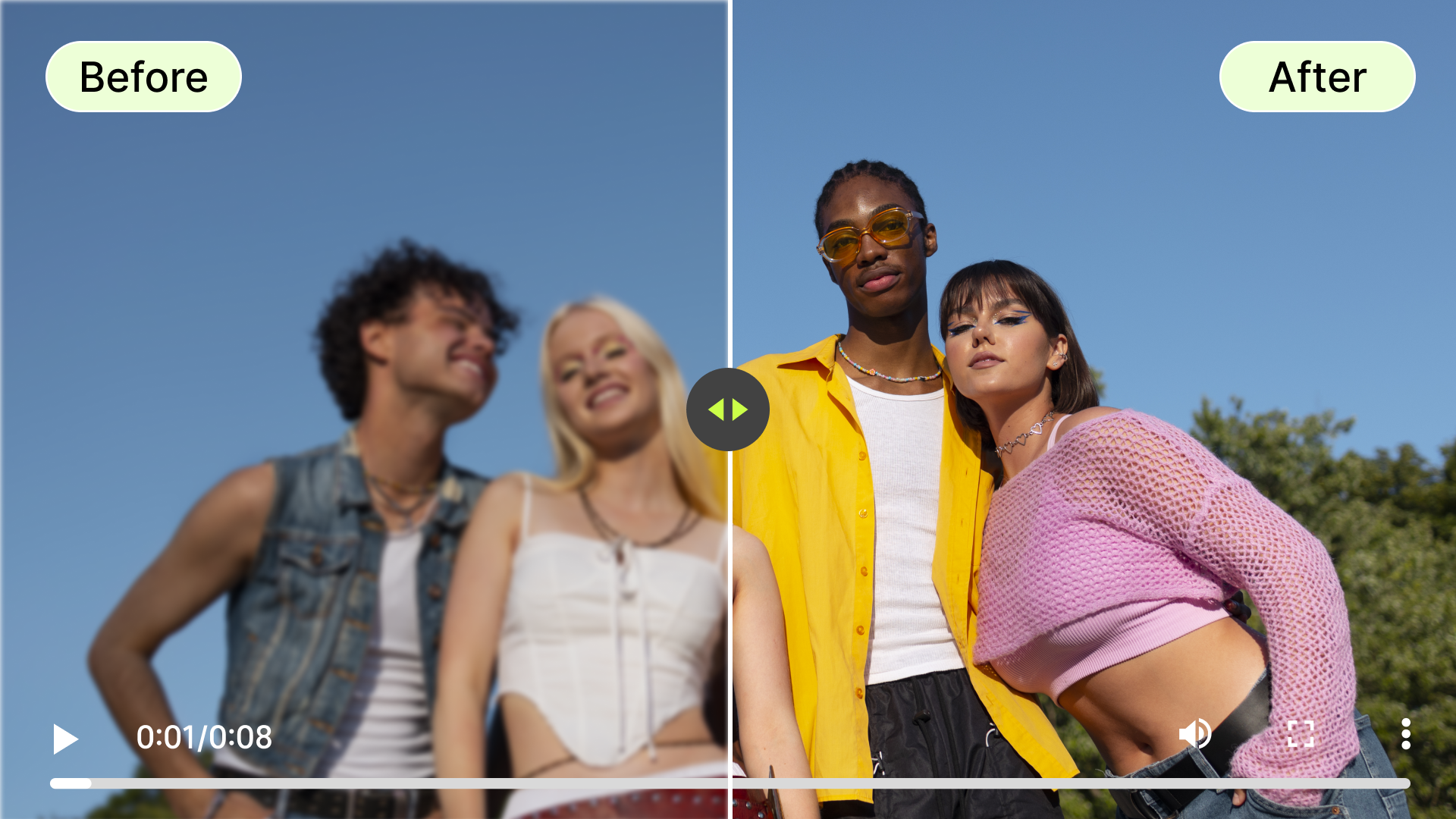
Content Creators & Social Media Videos
Filming on a phone or basic camera? Upscale your footage to 1080p or 4K before you publish. A sharper video gets more views, more watch time, and better algorithm performance — and our AI video upscaler makes it a one-click step in your content workflow.
Enhance Social Media Video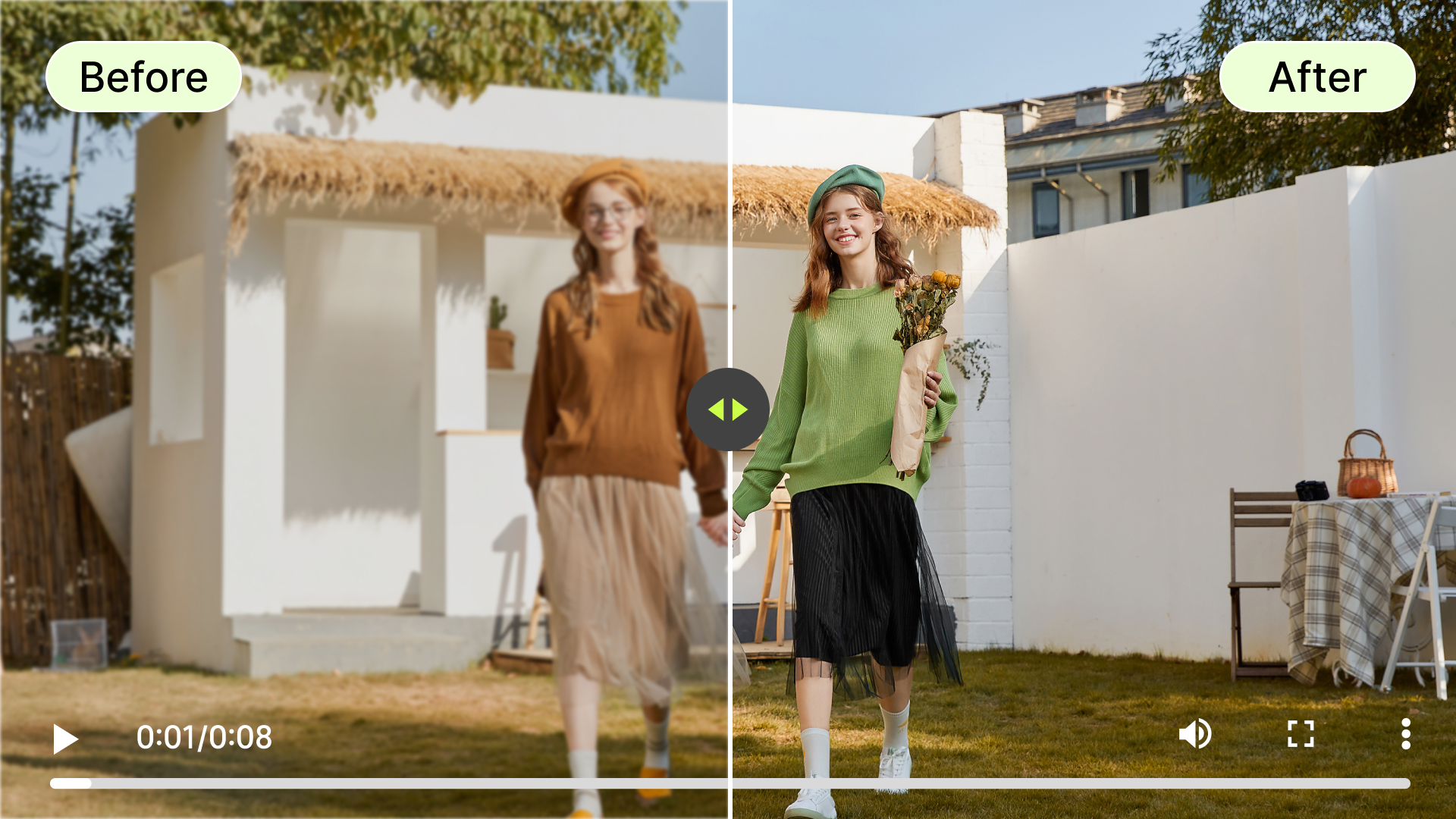
Old & Archive Footage Restoration
Got VHS tapes, old camcorder clips, or digitized home movies that look grainy and faded? Our video quality enhancer rebuilds lost detail, smooths out noise, and brings old footage back to life — without any manual frame editing.
Restore Old Video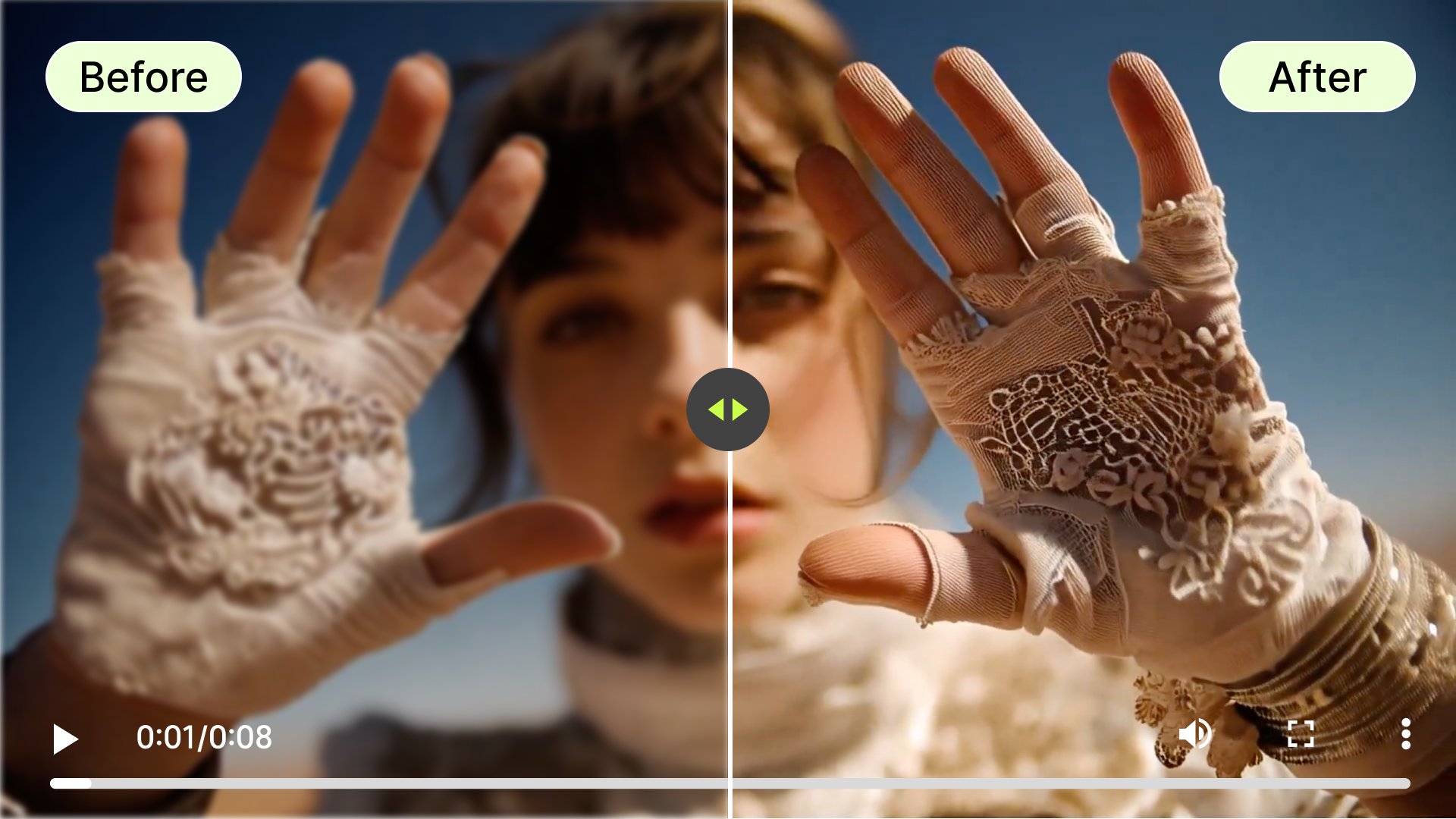
AI-Generated Video Enhancement (Sora, Kling, Veo)
AI-generated videos from tools like Sora, Kling, or Veo often output at lower resolutions with soft details and compression artifacts. Run them through our AI video quality enhancer to upscale the output, sharpen edges, and get a final result that truly looks production-ready.
Enhance AI VideoHow to Enhance Video Quality Online in 3 Simple Steps
No editing experience required. Our AI video enhancer is designed to be fast, intuitive, and completely online — from upload to download in under a minute.

Upload Your Video
Click the upload button or drag and drop your video file directly onto the page. We support MP4, MOV, AVI, MKV, and more. Files are processed securely in the cloud — your content stays private.

Select Resolution & Mode
Choose your target resolution — 1080p, 2K, or 4K — and select your enhancement mode: Sharpen, Denoise, Color Correct, or Full Enhancement. Our AI analyzes your video and applies the best improvements.
Preview & Download
Once the AI finishes, preview your enhanced video side by side with the original. Happy with the result? Download in full quality — MP4, MOV, or your preferred format. No watermarks on exports.
Why videdonl.com Is the Best AI Video Enhancer Online
There are plenty of video tools out there. Here's why creators and professionals choose our AI video upscaler over the alternatives.
True AI Upscaling — Not Just Resizing
We use deep learning models trained on millions of video frames. The AI reconstructs missing detail intelligently — not by simply stretching pixels like basic upscalers do.
Works on Any Video Type
From AI-generated Sora and Kling clips to old VHS recordings to smartphone footage — our video quality enhancer handles every source type with accurate, consistent results.
Clean Exports — No Watermarks
Your enhanced video downloads in full quality, without any watermarks or logos overlaid on the output. What you see in preview is exactly what you get.
Privacy-First & Cloud Processed
No software download needed. Your files are processed securely in our cloud and automatically deleted after your session. We never store or share your content.
AI Video Enhancer vs. AI Video Upscaler — What's the Difference?
Confused about whether you need a video enhancer or a video upscaler? Here's a quick breakdown — and why our tool does both. A video upscaler focuses on increasing resolution, while a video enhancer also corrects color, reduces grain, and restores detail.
| Feature | Standard Video Upscaler | videdonl.com Enhancer |
|---|---|---|
| Increases resolution | Yes | Yes (Up to 4K) |
| Reduces noise & grain | No | Yes |
| Sharpens edges & detail | Partially | Yes |
| Color & brightness correction | No | Yes |
| Works on AI-generated video | Partially | Yes (Optimized for Sora/Kling) |
What People Are Saying About Our AI Video Enhancer
Creators, marketers, and everyday users trust videdonl.com to enhance their video quality online. Here's what they're saying.
"I shoot a lot of footage on an older camera, and the quality never looks great straight out of the file. After running my videos through this AI enhancer, the sharpness difference is unreal. My audience actually commented on the improvement."
Marcus T.
YouTube Creator
"My product videos were shot in a rush with bad lighting. I used this online video enhancer to clean them up before uploading to my store, and the results were immediately better. Customers started commenting on how professional the listings looked."
Sandra K.
E-commerce Business Owner
"AI-generated video always has that soft, slightly compressed look. Running my Kling and Sora outputs through this video quality enhancer adds the final layer of sharpness and detail that makes it look truly finished. It's become a mandatory step in my pipeline."
James O.
AI Video Artist
Frequently Asked Questions About AI Video Enhancement & Upscaling
Everything you need to know about how our AI video enhancer and video upscaler work — from technical details to pricing and privacy.
An AI video enhancer uses deep learning models to analyze and improve video quality frame by frame. Unlike basic editing tools that adjust sliders manually, AI automatically identifies areas needing improvement — like noise, blur, and low resolution — and applies targeted corrections to sharpen, denoise, upscale, and color-correct your footage. Our online video enhancer processes your entire video in the cloud without requiring any manual input.
Explore More AI Video Tools — Built for Creators
videdonl.com gives you a full suite of AI-powered video tools. Need to remove a watermark, strip out a background, or resize for different platforms? Everything you need is right here.
Your Videos Deserve to Look Their Best — Enhance Them Now
Whether you're cleaning up old footage, polishing content for social media, or upscaling AI-generated video to 4K, our AI video enhancer gets it done in minutes right in your browser. No software to install, and no compromise on quality.
Enhance My Video Free